By the myPitLab team · Last updated 17 April 2026 · 9 min read
TL;DR
- Most UK drainage contractors still run MH surveys on paper cards or legacy desktop software built for Windows XP
- Modern manhole inspection software builds a 3D model straight from inspection data, with no laser scanner required
- Auto-generated IC sketches replace hand-drawn chamber diagrams that took 20 minutes per asset
- Client portals are replacing ZIP files and email attachments as the standard deliverable
- Firms moving from paper to software typically double inspection throughput in the first quarter

Key takeaways
- UK drainage contractors are moving off paper MH cards and legacy desktop tools toward mobile-first inspection software
- 3D manhole models no longer require £30,000 laser scanners; modern software generates them from structured inspection data
- Auto-sketch generators for inspection chambers cut the office drafting time that kills project margin
- Client portals replace the ZIP + email deliverable and turn surveyors into strategic partners rather than report vendors
- The real ROI isn't speed, it's the quality of evidence your team produces at audit and handover
In this article
- Why paper-based MH surveys are running out of road
- What modern manhole inspection software should do
- 3D manhole models without a laser scanner
- Auto-sketch generation for inspection chambers
- Mobile and offline: the field reality
- Client portals replace the email deliverable
- What to look for when choosing MH survey software
- Common mistakes when moving off paper
- Frequently asked questions
Introduction
Most UK drainage and utility survey firms still run manhole inspections the way they did in 2005. A printed STC25 pack, a clipboard, a tape measure, a phone camera, and a few hours back in the office typing the data into a spreadsheet or a legacy desktop tool.
It works. It's been working for 20 years. But it's also the reason most MH survey jobs lose margin on the office side, and the reason client deliverables look like they came from a different decade.
Modern manhole inspection software changes the economics. Inspections get captured on a phone with validation at the point of entry, 3D chamber models generate from the data without a laser scanner, and the client gets a portal instead of a 40MB ZIP file. Platforms like myPitLab cover the whole flow from field to 3D output to client delivery in one system.
Here's what the market looks like in 2026, what good software actually does, and what to look for before you commit.
Why paper-based MH surveys are running out of road
Paper MH cards and clipboard inspections still deliver the data. They fail everywhere else.
Data gets lost between site and office. A hand-written card with a cover level, invert levels, pipe sizes and directions. By the time it's typed up, a number's been transposed, a photo is missing, and the surveyor is already on the next job.
Photos live in five places. Phone camera roll, WhatsApp group, email, shared drive, and finally the report folder. Asset-to-photo linking gets done manually, which means it doesn't get done consistently.
Sketches take too long. Hand-drawing an IC diagram for a complex chamber takes 15 to 25 minutes back in the office. Multiply that across a job with 80 manholes and the drafting time becomes the real bottleneck, not the field work.
Data isn't queryable. You can't pull every MH over 3 metres deep across your last 40 jobs. You can't find every chamber where the cover condition was "poor". That data exists on paper, but it might as well not.
Client deliverables look dated. PDF reports and ZIPped photo folders compete with what surveyors in other disciplines (topographic, laser scan, BIM) are now offering as standard. The client sees the contrast.
None of this is fatal on its own. Together, they put paper-based MH surveys on a slow decline that's already visible in the UK market.
What modern manhole inspection software should do
Good MH survey software handles the job end to end. The shape of that workflow matters more than any individual feature.
Capture at the asset. Every inspection happens on a mobile device at the manhole, with validation as the surveyor types. Invert levels that don't match the cover level minus depth throw an alert. Missing pipes trigger a warning before the surveyor walks away.
Photos tied to data automatically. Geo-tagged photos that attach to the specific asset and the specific field they document. Cover condition photo goes in the cover condition record. Invert photo goes in the invert record. No manual sorting later.
Templates that adapt to the asset. MH, IC and gully inspections all have different data needs. Good software gives each asset type its own form without forcing generic templates.
3D output from inspection data. Not a laser scan. A 3D chamber model built from the dimensions, pipe positions, and structure the surveyor already records during a standard inspection.
CAD-ready export. The deliverable the client actually wants is usually a DWG or DXF. Software that ends at PDF leaves the office team to do manual CAD drafting later.
Client portal access. Clients don't want to download ZIP files. They want to log in, see the assets on a map, open an inspection, and read the report online.
Most platforms handle one or two of these well. Fewer handle all of them in a single system.
3D manhole models without a laser scanner
Three-dimensional chamber models used to mean a laser scanner. CleverScan, Quickview 360, SPiDER. These are genuinely impressive bits of kit, but they cost £20,000 to £40,000, need dedicated training, and are overkill for the vast majority of UK MH survey work.
What most UK drainage contractors actually need is a 3D representation of the chamber generated from the data a standard inspection already captures. Cover size and type. Chamber depth. Chamber dimensions at each level. Pipe inverts, sizes, materials, directions. Benching type. Step iron positions.
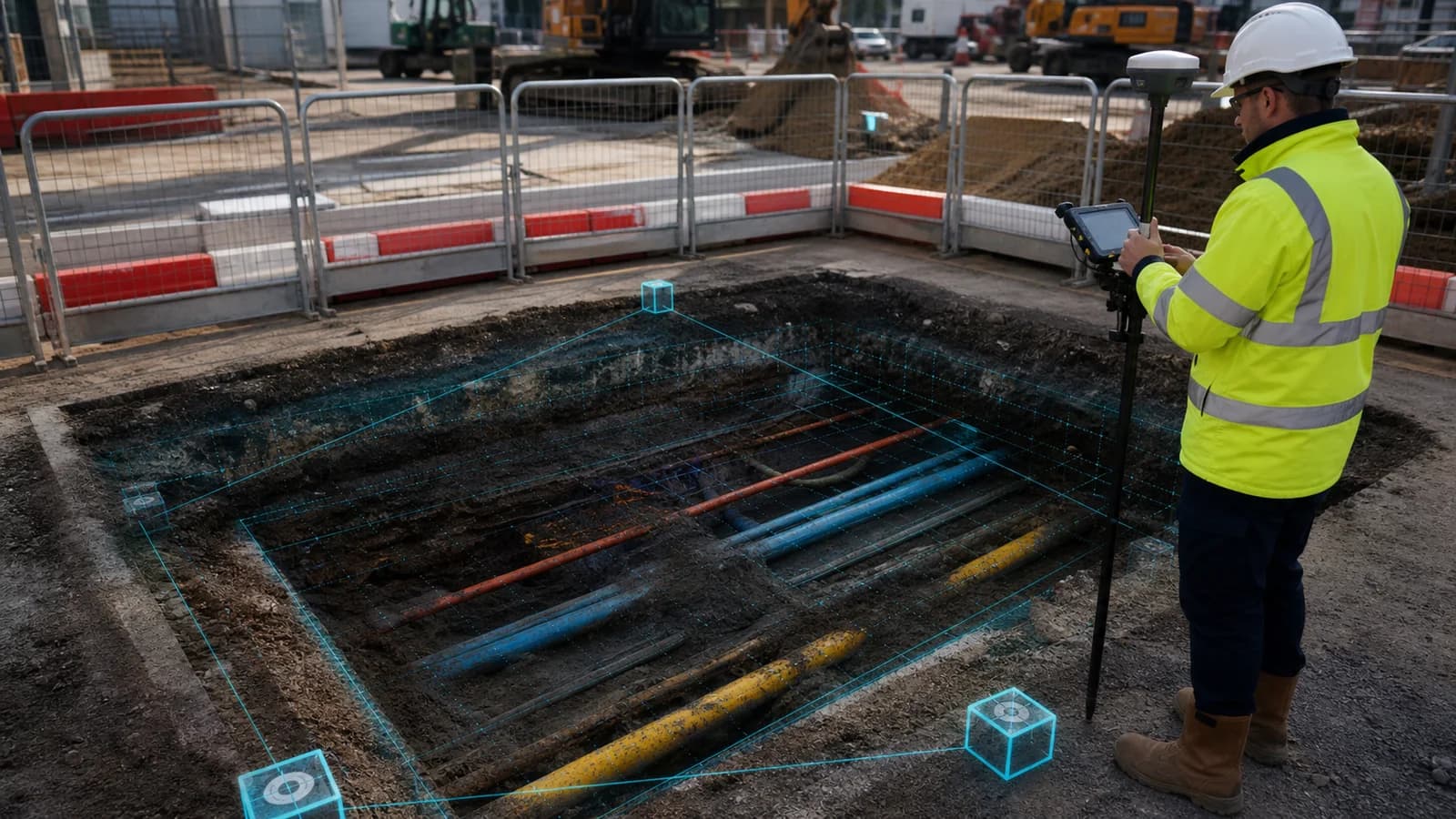
From that data, modern software builds a 3D model the client can rotate, measure and understand. It's not a point cloud. It's not millimetre-accurate. But for asset records, adoption applications, design coordination and client reporting, it's exactly what's needed.
The benefit isn't the model itself, it's what the model lets your client do. A water company adoption engineer can see the chamber layout without opening 40 photos. A designer can check clashes against a proposed drainage run. A site manager can brief a repair crew with a 3D view instead of five 2D diagrams.
💡 3D output from a standard inspection, no scanner needed myPitLab generates a 3D chamber model automatically from the dimensions, pipes and cover data your team already captures during a normal MH or IC inspection. No laser hardware. No extra field time. Start free on myPitLab - see your first 3D chamber in minutes →
Auto-sketch generation for inspection chambers
The IC sketch is the piece most UK drainage surveyors quietly hate. A chamber with six pipes, three benching levels and a complex layout takes a careful hand to draw. Back in the office. Usually late in the day. Usually after the surveyor has moved on to the next job.
Modern MH inspection software auto-generates the IC sketch from the structured data. Pipe positions, sizes, and directions go in once during the inspection. The sketch renders from that data, to a consistent style, in under two minutes. If the surveyor got the data right, the sketch is right.
The secondary benefit is consistency. Every IC sketch across every job looks the same, because it's rendered by the same engine. No more "Dave's sketches" versus "Kevin's sketches" in the same project report.
For firms pricing MH surveys at £40 to £80 per asset, the drafting time reclaimed on complex ICs is often the single biggest margin improvement. A job with 20 complex ICs used to cost 5 to 7 hours of office drafting. With auto-generated sketches, that collapses to minutes of review.
Mobile and offline: the field reality
UK MH surveys happen in places where mobile signal isn't a given. Rural drainage. Industrial estates with thick concrete. Urban basements. Rail trackside.
Software that only works online is software that doesn't work where the job happens. See our offline manhole inspection guide for the full UK checklist. The minimum bar for serious MH inspection software is:
- Full offline inspection capability with all forms, validations and photo capture
- Automatic sync when the device gets signal or wifi
- Queue and retry for partial sync, so nothing gets lost if the connection drops
- Conflict handling when the same asset is touched on two devices
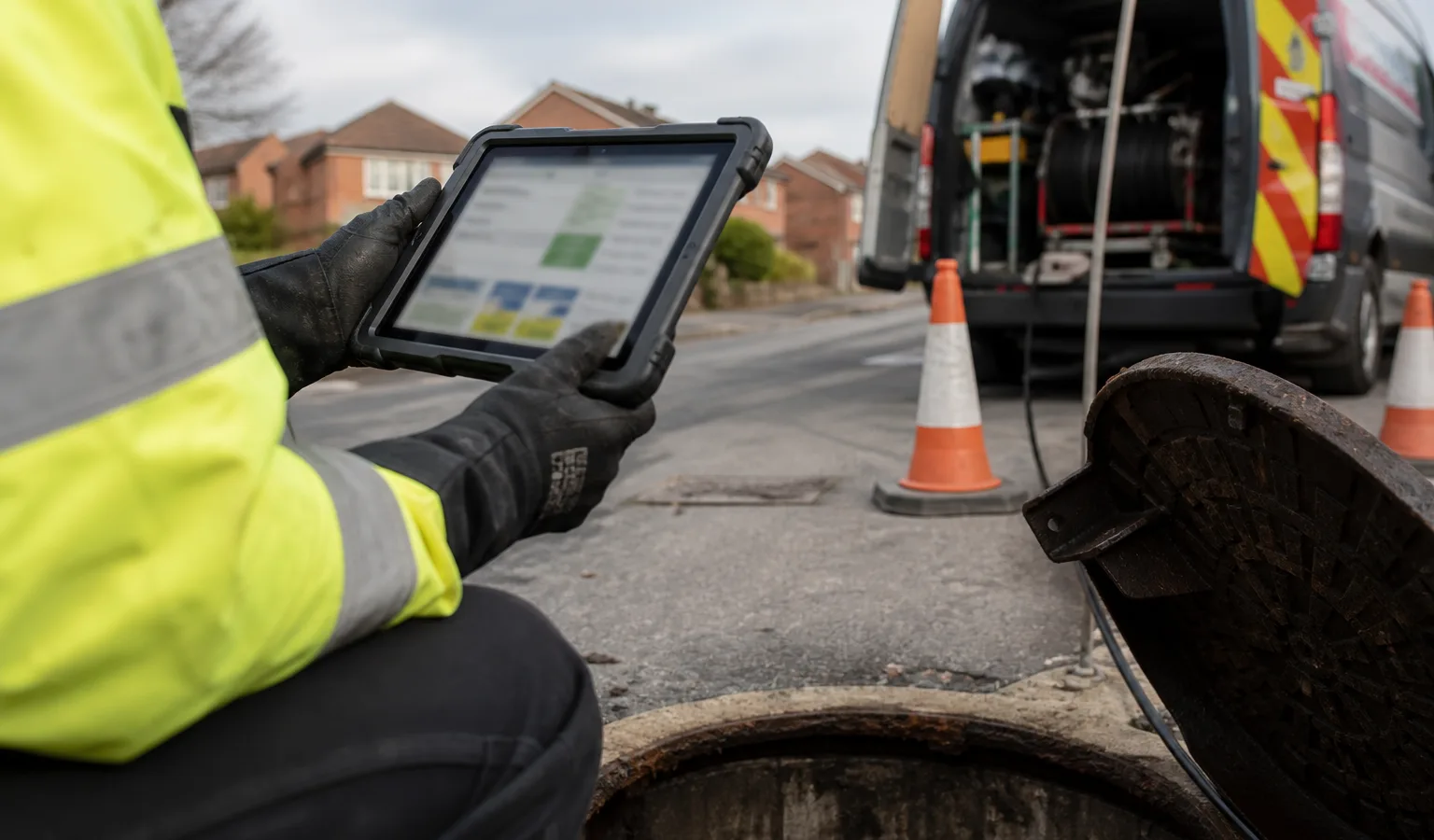
The other side of mobile reality is the device the surveyor actually uses. Most UK drainage teams work from rugged Android phones or iPads, with gloves on, in rain. Software designed for an office desktop doesn't survive that environment. Buttons need to be thumb-sized. Forms need to flow vertically. Photos need to attach in one tap, not three.
The firms getting this right are the ones where their field team was involved in the software decision, not just the operations manager.
Client portals replace the email deliverable
A 40MB ZIP file attached to an email was acceptable in 2015. In 2026, it tells the client your firm doesn't take delivery seriously.
Client portals are the standard deliverable across topographic survey, BIM, and utility mapping, and they're becoming the norm for drainage and MH work too. What the client actually wants:
- A secure link, with access controlled by email
- A map view of all assets on their site
- Individual asset pages with the full inspection record, photos, and 3D model
- Downloadable report, DWG export, and structured data export
- Ability to share with their own team and their own contractors
Built-in client portals also change what you can sell. You're no longer a firm that delivers a report. You're a firm whose clients can see their asset data any time, and come back for follow-up work because they're already using your system. Pair portal delivery with structured DXF, KML and PAS128 survey reports from the same approved records.
The margin implication is quiet but real. Clients with portal access raise more follow-up work orders. Clients with ZIP files tend to put the job in a folder and forget about it until the next project two years later.
What to look for when choosing MH survey software
A short checklist before you commit to any platform.
Is the MH/IC/gully inspection form actually suited to UK assets? Look for STC25-aligned field structures, proper handling of invert levels in mAOD (see cover and invert levels), and support for the full range of pipe materials, sizes and conditions used in UK drainage. For the wider drainage workflow beyond a single chamber model, see drainage survey software UK.
Does 3D generation come out of standard inspection data? If you have to buy a laser scanner separately, or configure a specialist module, that's a different product. You want 3D as a native output from the inspection flow.
Does the auto-sketch generator work for complex ICs? Ask for a demo with a 6-pipe chamber. Most platforms handle simple MHs fine and fall apart on real ICs.
What's the offline story? Not "supports offline" in marketing copy. Ask specifically: what happens if I'm offline for 2 hours and capture 15 inspections with 60 photos? Does the software cope?
How does the client portal work? Can the client see the assets without logging in to your internal system? Is the portal branded to your firm, not to the software vendor?
Can the data go into your own CAD pipeline? DWG and DXF export are table stakes. JSON and CSV structured export are what lets you build your own integrations later.
How are pricing and user roles structured? Per-user pricing punishes firms that want every surveyor, office team member and client portal user to have access. Look for platforms where the client portal doesn't cost extra per user.
Common mistakes when moving off paper
Firms transitioning from paper or legacy desktop software tend to fall into a few repeat traps.
Trying to replace everything in one week. A staged rollout (first one team, then another, then office handover) works better than a firm-wide switch on a Monday morning.
Not involving the field team. Software chosen only by the operations manager tends to get rejected by surveyors on site. The surveyors are the users who matter most for adoption.
Skipping the CAD pipeline check. A platform that feels great in the field but produces garbage CAD output forces the office team back into manual drafting. Check the CAD output on day one, not after the first job.
Underestimating data migration. 10 years of historical MH records live in spreadsheets, old software, and PDFs. A good platform has an import route that preserves that history. Without it, you're starting from zero.
Treating the software as a replacement for judgement. The tool captures and structures the data. It doesn't tell you which chamber is actually a risk. Surveyor experience still matters, and always will.
Frequently asked questions
What's the difference between a 2D chamber profile and a 3D manhole model? A 2D profile is a plan and elevation view, typically showing cover, chamber outline, pipes and inverts from above and from the side. A 3D model represents the chamber in three dimensions and can be rotated, measured and viewed from any angle. Modern MH software generates both from the same inspection data.
Can MH inspection software work with existing CCTV drainage records? Yes. Modern platforms link MH inspections to the CCTV runs that start or end at each chamber, so the full drainage network record lives in one place rather than split between separate systems.
How does this compare with STC25 databases? STC25 remains the WRc model contract document for MH location surveys and is still the structural reference for what MH data should contain. Modern MH software captures the same data fields, often in STC25-compliant format, but with mobile capture, 3D output, auto-sketch and client portal on top.
Do I need a laser scanner to offer 3D manhole surveys? No. For the vast majority of UK MH survey work, 3D models generated from standard inspection data are what clients want and accept. Laser scanners make sense for specific high-value cases (non-entry surveys, rail adjacent, heritage assets) but they're not the default tool.
What's the typical ROI on moving from paper to digital MH surveys? Most UK drainage contractors report a 40 to 80 percent reduction in office time per asset within the first quarter, plus a meaningful improvement in client-facing deliverables. The exact number depends on how much drafting time your current process involves.
Can clients access the data without buying a licence? On the right platform, yes. myPitLab gives clients a portal for viewing their own assets at no additional per-user cost. Watch out for platforms that charge per client user, the pricing model kills the value.
One platform for the whole MH workflow
Paper and legacy desktop software made sense when there were no alternatives. In 2026, UK drainage and utility survey firms have a clear choice: stay on tools that cost margin on every job, or move to a platform that captures the data in the field, generates 3D output and IC sketches automatically, and delivers a portal to the client as standard.
myPitLab covers all of this in one system, with free trial access for UK survey firms to test it on a real project before committing.
Start free on myPitLab - run your first MH inspection today →
Sources:
- WRc Model Contract Document for Manhole Location Surveys (STC25)
- BS EN 1610: Construction and testing of drains and sewers
- Sewerage Sector Guidance (SSG) - Water UK adoption documents
- BSI PAS 128: Specification for underground utility detection, verification and location
Disclaimer: This article is general guidance for UK drainage and utility survey professionals and does not constitute engineering or legal advice. Always verify current MH survey requirements with the relevant water company, local authority or client specification.
Internal link suggestions:
- /blog/auto-sketch-inspection-chamber-software (Spoke 1.1)
- /blog/stc25-alternative-modern-manhole-software (Spoke 1.2)
- /blog/all-in-one-survey-platform-uk (Filar 3)
- /product/field (Field module product page)
- /product/client-portal (Client portal product page)
Image suggestions:
- Hero: myPitLab platform screenshot showing 3D chamber model alongside inspection data (alt: "myPitLab manhole inspection software showing 3D chamber model generated from field data")
- Mid-article: Side-by-side comparison of hand-drawn IC sketch vs auto-generated IC sketch (alt: "Comparison between hand-drawn inspection chamber sketch and auto-generated IC diagram")
- End: Client portal screenshot on laptop + mobile (alt: "myPitLab client portal showing drainage asset map and inspection record")