By the myPitLab team · Last updated 8 July 2026 · 5 min read
TL;DR
- MH validation and CCTV sewer surveys often run on the same UK job — but deliverables frequently sit in separate tools
- Clients expect manhole IDs, launch points and defect summaries to match across CCTV reports, MH sheets and PAS128 packs
- Integration means shared project context and asset IDs — not emailing WinCan exports to the CAD team
- CCTV defect data should link to chamber records for portal, QA and framework audit
- One platform or disciplined handoff beats three silos every Friday
Key takeaways
- Treat MH and CCTV as one project dataset with two capture methods
- Standardise asset naming before site — not after export
- Launch and receive manholes in CCTV must match MH inspection IDs
- Defect grades in CCTV reports should cross-reference chamber condition notes
- RAMS for confined space and hygiene must align with CCTV entry method
In this article
- Why CCTV and MH records drift apart
- What integration looks like in practice
- Asset IDs and naming conventions
- Workflow from field to client delivery
- CCTV in all-in-one vs specialist tools
- Frequently asked questions
Introduction
Monday: MH team validates 40 chambers. Wednesday: CCTV crew surveys the line between MH-12 and MH-15. Friday: the client asks why the CCTV report lists "MH12" while the inspection sheet says "MH-012" and the KML says "Manhole_12".
That is not a CCTV quality problem. It is an integration problem.
UK water company and developer frameworks increasingly bundle PAS128 detection, MH validation and CCTV condition surveys. Delivered separately — different folders, different naming, different dates — they fail audit even when each individual survey was done well.
myPitLab supports CCTV project records alongside MH/IC inspections in one org-scoped workspace. This guide explains what UK delivery leads should standardise whether you use one platform or bridge specialist CCTV software.
Why CCTV and MH records drift apart
| Silo pattern | Typical failure |
|---|---|
| WinCan + separate MH app | Asset ID mismatch |
| CCTV PDF only | No link to 3D/portal chamber view |
| MH first, CCTV a month later | Wrong launch refs on reopened covers |
| Office re-types launch IDs | Transposition errors |
| No QA cross-check | CCTV grades contradict MH defect notes |
The cost is rework — client rejection, re-survey, or embarrassed clarification calls.
What integration looks like in practice
Minimum viable integration:
- Single project — same client, site, reference, dates
- Shared asset register — MH IDs issued before CCTV mobilisation
- Linked launches — CCTV run references receive and launch MH IDs from register
- Defect cross-ref — structural notes on MH sheet consistent with CCTV grading
- Unified delivery — portal or transmittal lists MH, CCTV, CAD and report together
- RAMS alignment — entry method and hygiene controls match what CCTV crew actually did
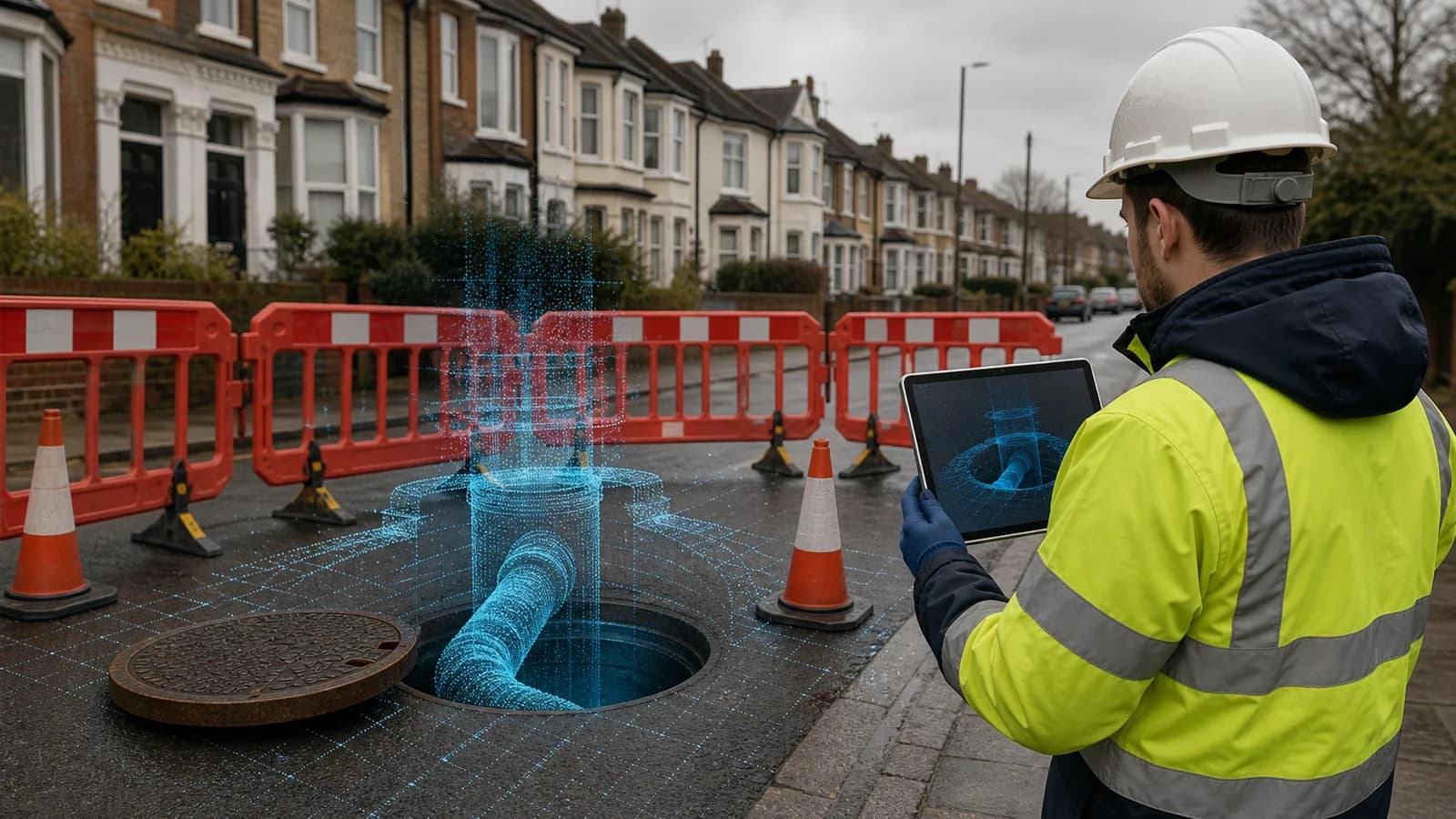
Ideal state: click MH-015 in the portal, see inspection record, geo-photos, CCTV segment summary and downloads.
Asset IDs and naming conventions
Agree with the client before site:
- Prefix format (
MH-vsIC-vs numeric only) - Leading zeros (
MH-012notMH-12) - Branch line naming for spur chambers
- How CCTV software exports names (match import template)
Document the convention on the transmittal. GIS teams will not rename 200 features for you.
Workflow from field to client delivery
- Issue asset schedule from desktop survey or design issue
- MH validation — offline capture, publish after QA
- CCTV mobilisation — import or pick launch/receive from same register
- Office cross-check — every CCTV run has valid MH endpoints
- Report issue — PAS128 report or MySafeOps pack includes CCTV summary where scoped
- Client handover — portal link or structured ZIP with manifest
Step 4 is where integrated platforms save hours — validation rules flag orphan CCTV runs or unknown manhole codes.
CCTV in all-in-one vs specialist tools
| Approach | When it fits |
|---|---|
| All-in-one (myPitLab) | Same firm does MH, PAS128 and CCTV; wants one portal |
| Specialist CCTV + structured handoff | Deep WinCan workflows; export maps to shared asset IDs |
| Reports-only start (MySafeOps) | RAMS + survey report packs while CCTV stays in specialist tool — IDs must still match |
Integration is a process first, software second. But software that shares project and asset tables makes the process enforceable.
💡 One project, matched asset IDs myPitLab links CCTV projects to MH/IC records for QA, portal delivery and framework audit. Start free on myPitLab →
Frequently asked questions
Must we use the same software for CCTV and MH? No — but you must use the same asset register and naming. Integration without shared IDs is theatre.
Does CCTV replace MH inspection? No. CCTV surveys pipe condition between chambers; MH validation confirms chamber detail, cover levels and connectivity.
What defect coding should we use? Match client spec (WRc, MSCC5, etc.). Map codes in the transmittal so MH free-text and CCTV grades align.
Can CCTV video sit in the client portal? On integrated platforms, yes — linked to the asset record. Otherwise provide indexed URLs or separate secure hosting with manifest.
Summary
Linking CCTV to manhole records is how UK drainage firms stop delivering excellent surveys that fail client QA on naming alone. Standardise IDs, cross-check launches, and deliver one project story across MH sheets, CCTV reports and formal documentation.
Next steps: Pick your last CCTV job — did launch manhole IDs match MH sheets exactly? Browse all insights or start a free trial.