By the myPitLab team · Last updated 8 June 2026 · 7 min read
TL;DR
- Clients increasingly want MH/IC data in CAD-ready DXF, not only PDF sheets — especially on highways, utilities and framework contracts
- A usable DXF export needs consistent layers, coordinates, pipe connectivity and chamber geometry — not a flattened PDF trace
- 2D plan exports and 3D chamber models serve different reviewers; many jobs need both from the same inspection record
- Rework happens when field capture omits pipe angles, inverts or cover levels — CAD cannot fix missing structure
- Export should be one click from the approved inspection, not a separate drafting job in the office

Key takeaways
- DXF is a delivery format; quality depends on structured field capture upstream
- Layer naming conventions should match client or framework specs — document them once per project
- Coordinates must align with the project grid (OSGB36 or site local) or GIS handover fails
- 3D DXF helps designers; 2D plan + sheet PDF helps operators — plan for both audiences
- Validate exports on a sample chamber before bulk publish
In this article
- Why PDF-only handover is no longer enough
- What a good MH/IC DXF contains
- 2D plan vs 3D chamber exports
- Common client QA failures on CAD packs
- Workflow: field capture to DXF in one record
- Frequently asked questions
Introduction
PDF manhole sheets still matter for operators and maintenance teams. But on framework drainage jobs, utility coordination and highways schemes, the CAD team wants DXF — layers they can snap to, pipes they can connect, chambers they can clash-check in Revit or Civil 3D.
If your firm still redraws chambers in AutoCAD from PDF sketches, you are paying twice for every asset. Modern MH inspection software should produce DXF (and often 3D DXF) from the same structured inspection the surveyor captured on site.
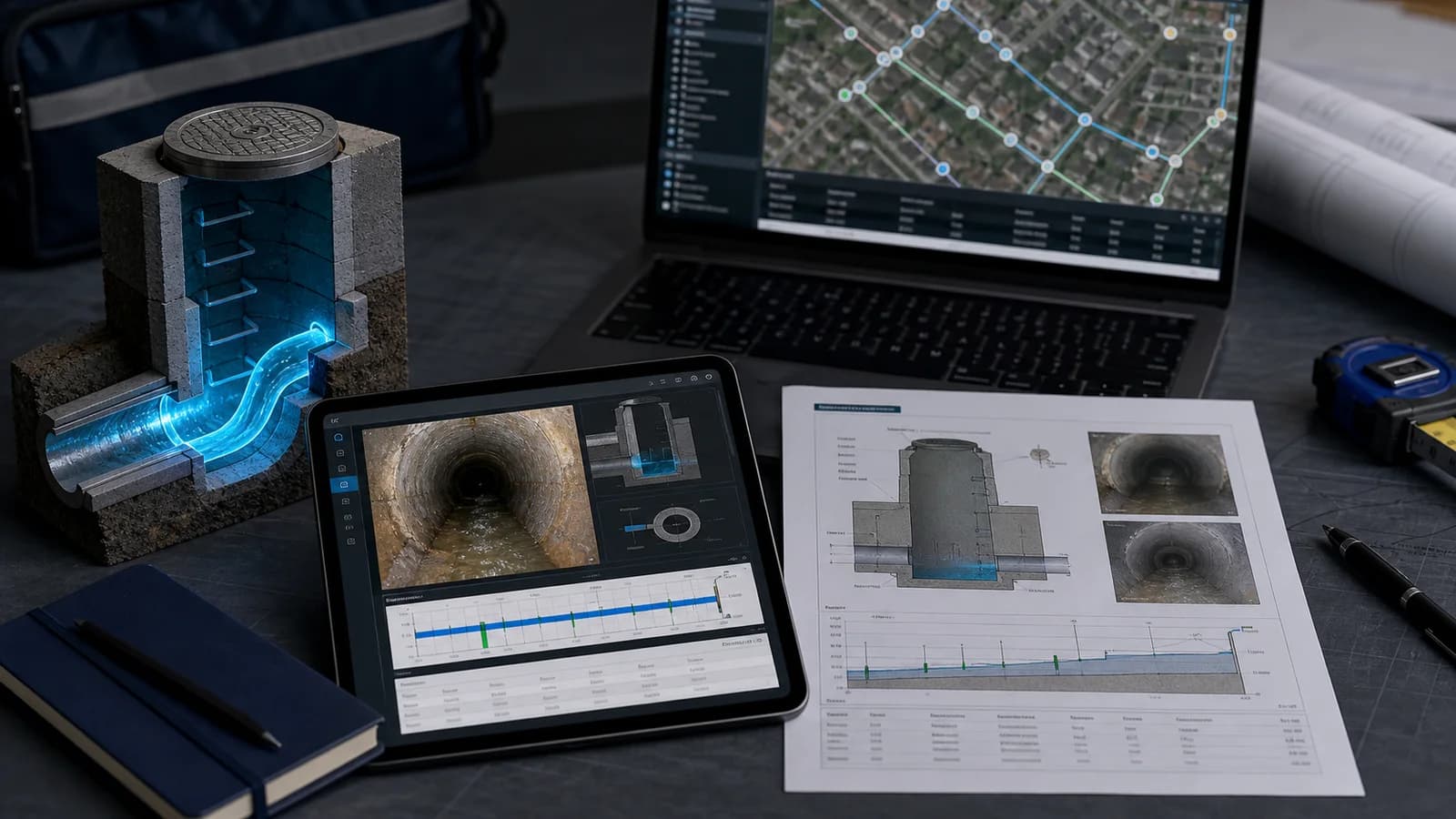
myPitLab publishes approved inspections to PDF, DXF, KML and client portal views from one QA-approved record. This guide explains what clients expect in CAD packs and how to avoid the rework that kills margins.
Why PDF-only handover is no longer enough
PDF is excellent for human review: cover level, pipe table, photo page, sketch. It is poor for:
- Clash detection — designers need geometry in model space
- Network connectivity — GIS and hydraulic modellers need pipe direction and invert continuity
- Bulk updates — when 40 chambers change after a design revision, CAD teams need editable sources
- Framework compliance — many UK clients specify DXF or DWG in their delivery schedules
The survey firm that delivers PDF only often gets a follow-up email: “Can we have the CAD?” That question usually means three days of office tracing — or a lost variation.
What a good MH/IC DXF contains
Minimum expectations on UK utility and drainage jobs:
| Element | Typical requirement |
|---|---|
| Chamber outline | Plan shape at correct coordinates |
| Cover | Position, size, level |
| Pipes | Direction, diameter, invert, material where specified |
| Labels | Asset ID, invert values readable in CAD |
| Layers | Separated cover, chamber, pipes, text — client naming if provided |
| Units | Metres, matching project grid |
Exports that dump everything on one layer or omit pipe direction force the client CAD team to rebuild the network manually — exactly what they hired you to avoid.

2D plan vs 3D chamber exports
2D plan DXF — plan view of chamber and pipes, suitable for drainage layout sheets and GIS import. Fast to review, smaller files, works in most AutoCAD workflows.
3D chamber DXF — vertical geometry for designers who model depth, benching and pipe entries in 3D. Built from the same pipe and depth fields as the 2D export when capture is structured.
Not every client asks for 3D on day one. When they do, regenerating from inspection data beats modelling from a PDF sketch. See our 3D manhole inspection guide for how field data feeds chamber models.
💡 One record, multiple formats myPitLab exports PDF sheets, 2D/3D DXF and KML from the same approved inspection — no redrawing in CAD. Start free on myPitLab →
Common client QA failures on CAD packs
Before you send 200 chambers, check a sample of three against client spec:
- Wrong coordinate system — OSGB36 vs site local; transformation not applied
- Missing pipes — field form incomplete; DXF shows empty chamber
- Invert typo — CAD is exact; garbage in means garbage out
- Layer chaos — everything on layer 0; client rejects pack
- Stale version — PDF updated after DXF export; numbers do not match
Office QA on the inspection record prevents most of these. CAD export should run after validation, not on draft data.
Workflow: field capture to DXF in one record
- Field — structured MH/IC inspection with pipes, inverts, cover level, sketch
- Sync — upload when online (offline capture supported)
- Office QA — validation rules, photo check, sketch review
- Publish — lock record; generate PDF + DXF + KML/KMZ + portal in one action
- Client — download from portal or receive bundle ZIP
When step 4 requires a separate CAD technician for every job, your cost per chamber is wrong. Automation belongs after QA, not instead of it.
Frequently asked questions
Do clients accept DXF instead of DWG? Most AutoCAD workflows open DXF natively. If the client specifies DWG, convert once from DXF or confirm their import pipeline — many accept DXF on drainage frameworks.
Can we export only selected chambers? Yes — typical pattern is project-level bulk export plus single-asset export for variations. Filter by publish status so drafts never leave the building.
Does DXF include photos? Usually not in the CAD file; photos stay in PDF or portal. Hyperlinks or external refs are rare on UK drainage jobs — send PDF + DXF as a pair.
What if the client changes layer names mid-project? Store layer mapping in project settings and re-export from source inspections rather than editing hundreds of DXFs by hand.
Summary
DXF and CAD export is a delivery expectation, not a premium add-on, on many UK MH/IC jobs in 2026. The firms that win framework work capture structured data once, QA it properly, and publish CAD-ready outputs without a tracing team. Many clients also want KML/KMZ for GIS from the same approved record. Invert and cover values on DXF labels only help if field capture followed clear cover and invert level rules.
Next steps: Export three sample chambers from your last project and send them to your client CAD lead for a 15-minute QA call before the next bulk handover. Browse all insights or start a free trial.